Write; let who, where and when link themselves.
Kenet is a personal journal that needs no account and keeps everything in plain Markdown files. It links the short entries you write during the day to people, places and time on its own, in a vault Obsidian can open.
iPhone and iPad; Mac later
- No account
- Plain Markdown
- Same vault as Obsidian
- The app collects no data
How it works
You write. Kenet links the person, place and time.
You wrote
09:41 Coffee with Ece in Kadıköy
You see
09:41 Coffee with Ece in Kadıköy
On disk
- 09:41 Coffee with [[Ece Yalın|Ece]] in [[Kadıköy]] ^a1b2c3It is written to your day file as plain Markdown. When a name is ambiguous the app asks; it does not guess.
Three promises
The files stay yours.
Your data is yours
Markdown is the source of truth, and there is no account. You can read the files without the app. A vault in iCloud Drive or in a folder you picked stays if you delete the app; on iPhone and iPad, a local vault on the device is deleted with the app.
Read the privacy policyNothing gets lost
Kenet writes to the file first, then updates its index. It never touches text it does not recognise. Deleting asks or can be undone.
Portable to other platforms
The vault is the same as Obsidian's. No app-specific syntax, and the vault is not encrypted.
Screens
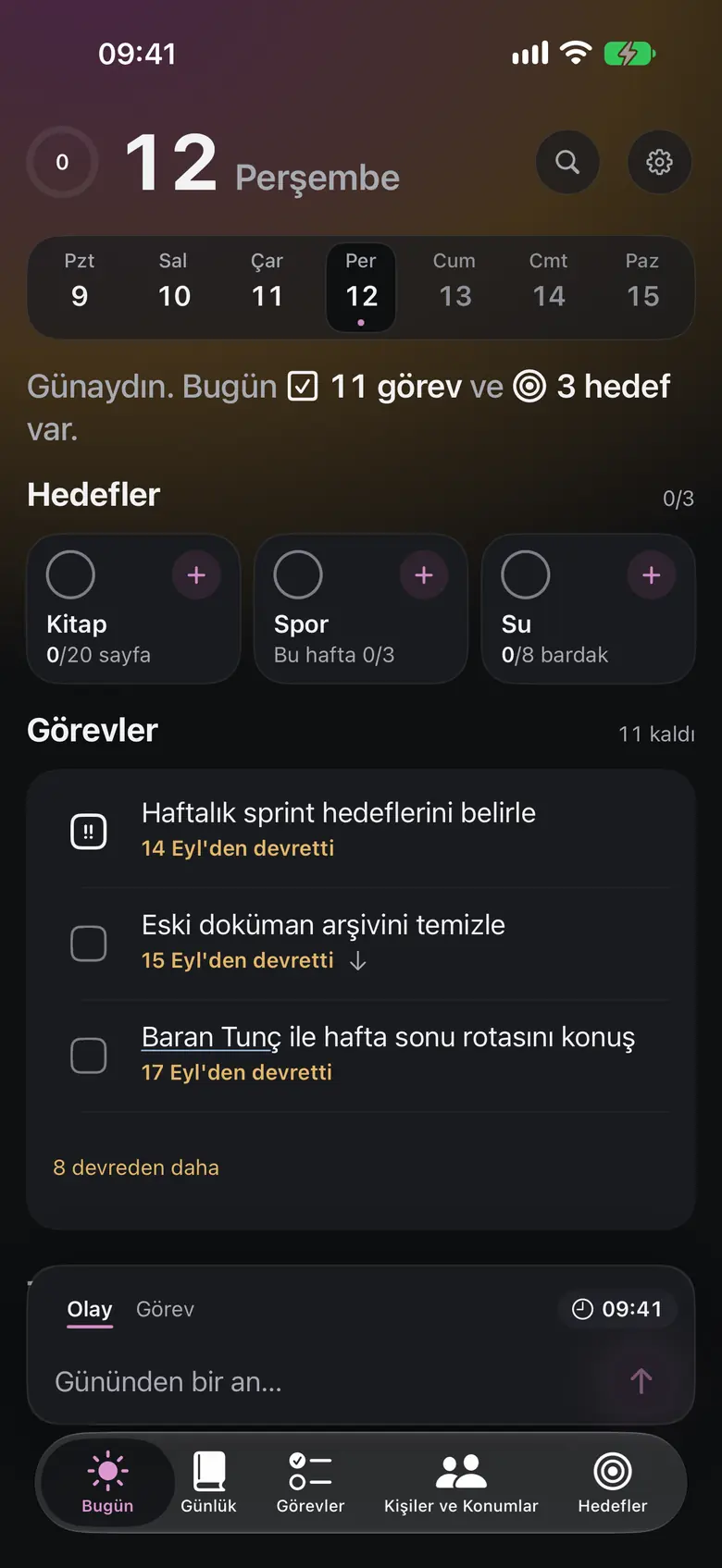
The screen you open every day stays simple; detail lives in the other tabs.
A person's history on one page
Last meeting, that day's people and places. With calendar access, upcoming events show here; you can add the birthday from the date in the person's file to your calendar.

People and places
Graph and map entries, people you have not seen in a while, and the people list.

Tasks on a Kanban board too
Tasks with project tags in status columns; the same tasks as a list and a timeline too.

Track a goal by amount
Type the amount on the number pad, add a quick step or complete the goal. Below: chain, last 90 days and heat map.


Vault
The same vault as Obsidian. No export.
- diary/2026-10-02.md
- people/Ahmet Yılmaz.md
- places/Kadıköy Ofis.md
- templates/
- .app/
---
type: diary
date: 2026-10-02
goals:
  kitap: 25
---

## Tasks
- [ ] Send the offer to [[Ahmet Yılmaz]] 📅 2026-10-05 ^k7m2p9
- [x] Grocery run ✅ 2026-10-02 ^q3w8e1

## Events
- 14:30 Talked through the offer with [[Ahmet Yılmaz|Ahmet]] at [[Kadıköy Ofis]] ^a1b2c3
- Dinner with [[Elif]] ^d4e5f6
SQLite is only an index; these files are the source of truth.
For iPhone, iPad and Mac.
Your data stays yours as plain Markdown files.
The app collects no data, and this site uses no cookies. Privacy policy
Platform status
- iPhone and iPad: in the first App Store release.
- Mac: reaches the store after iPhone and iPad.
- The interface is in Turkish and English and follows the language set for Kenet on your device.